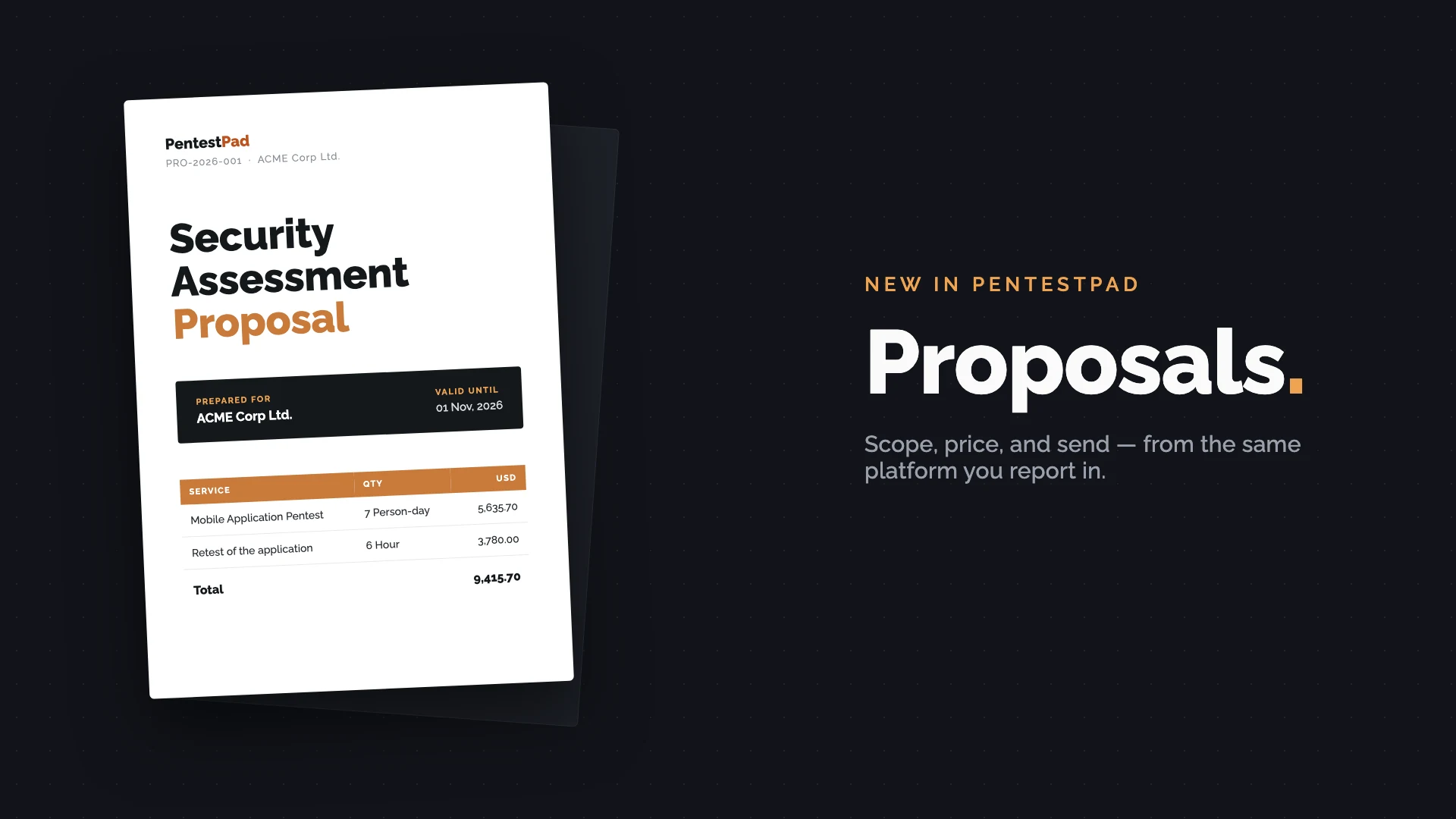
Every engagement we’ve ever seen starts the same way: someone opens the proposal from the last engagement, does File → Save As, and starts swapping out client names and prices. Somewhere between the scope table and the pricing section, a number doesn’t get updated. The client notices. It’s a bad look for a company whose entire job is noticing things.
So we built Proposals into PentestPad. As of v1.7.6, you can write, price, and export proposals in the same place you already run projects and write reports.
How it works
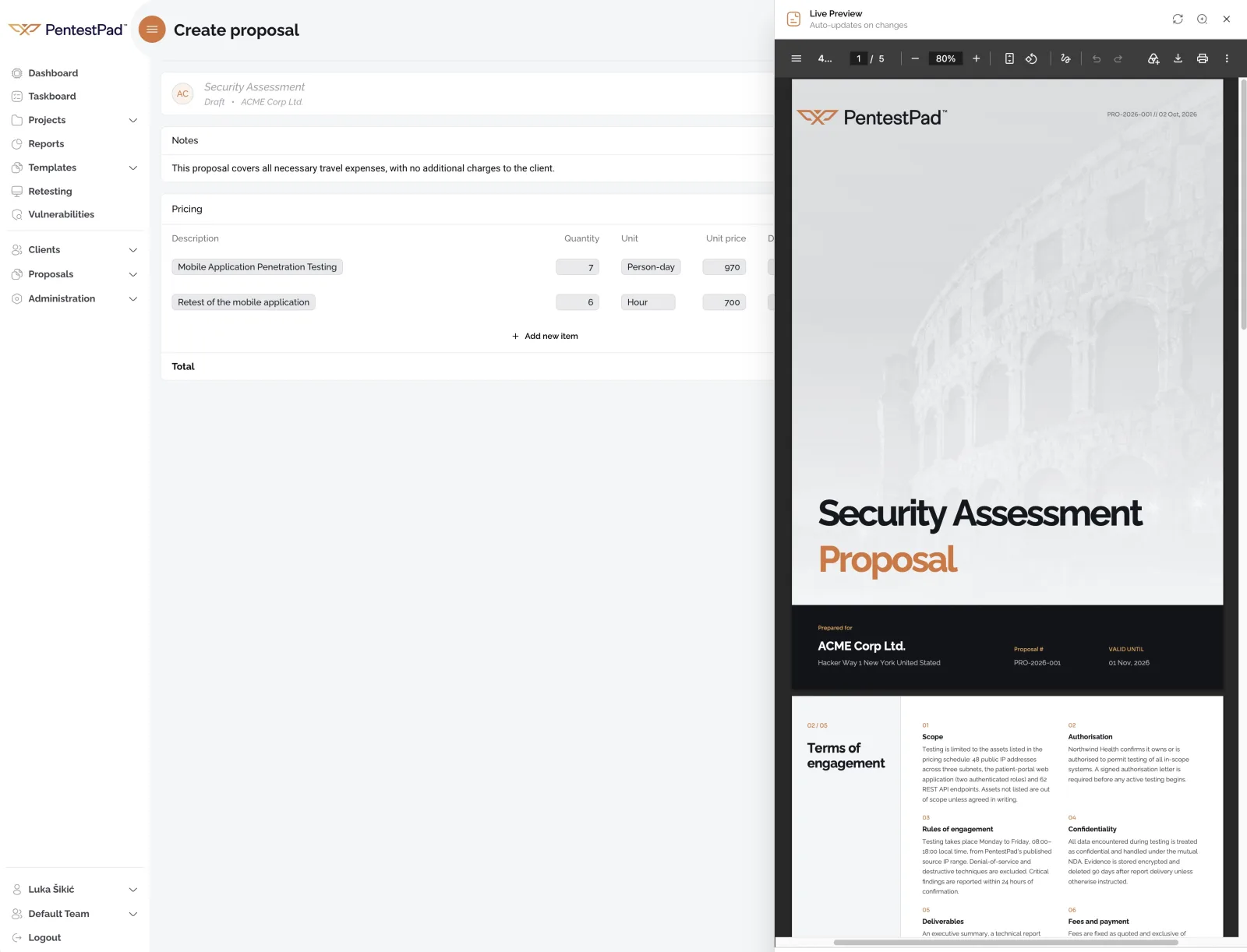
A proposal needs a title and a client - that’s it. The rest has sensible defaults. The reference number is generated for you (ours look like PRO-2026-001; the format and reset period are configurable in settings, so you can match whatever numbering scheme your back office already uses). You set the engagement timeline, pick a validity period - 30 days, 6 weeks, whatever you quote - and the expiry date is calculated from it.
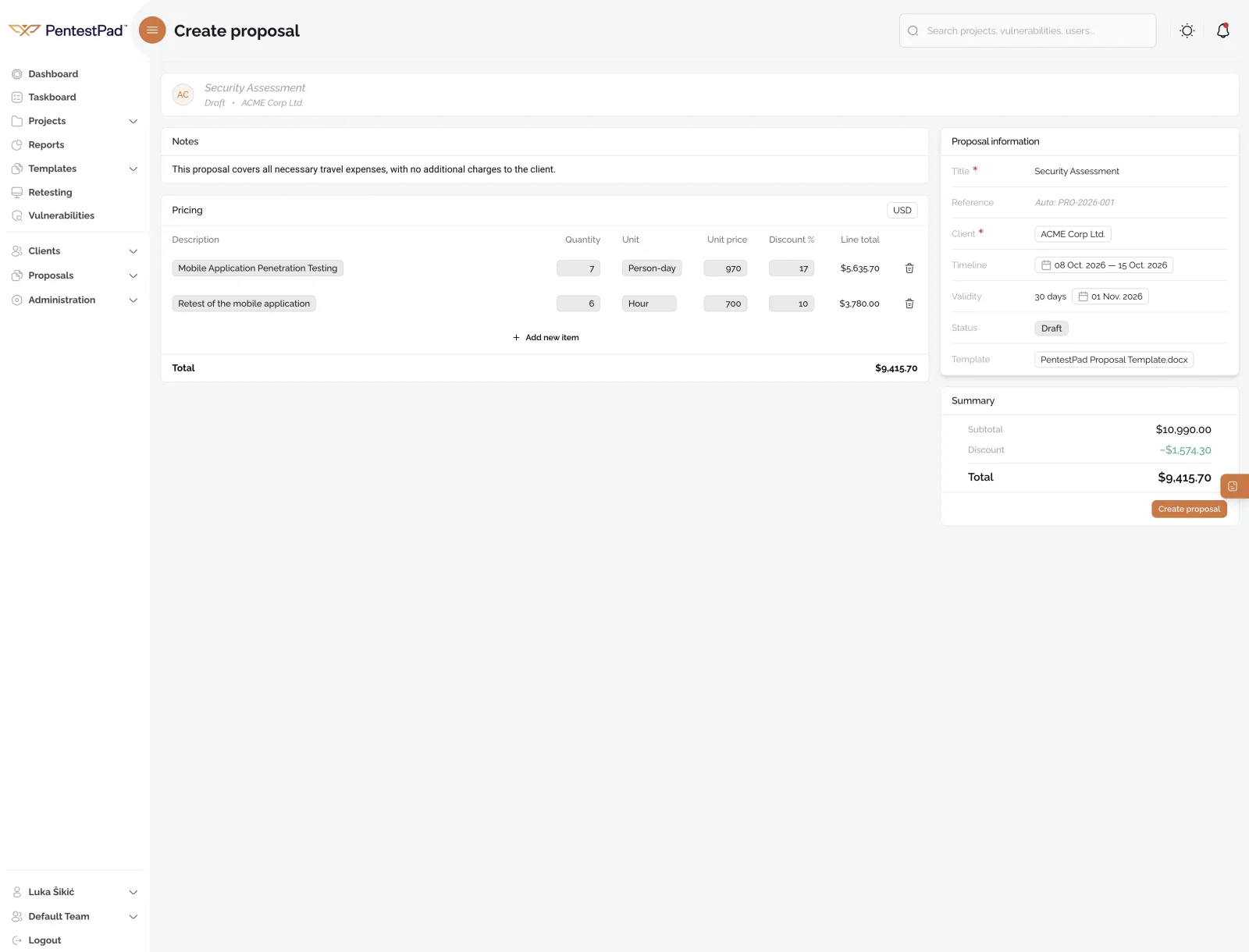
Pricing is a table of line items. “Mobile Application Penetration Testing, 7 person-days at $970” is one line. The retest is another. Travel expenses, if you bill them, a third. Quantities, units, unit prices, per-line discounts - the totals come out right because you never calculate them yourself.
Two things here save real time once you’ve used them for a few proposals. Units (person-day, hour, or whatever you define) are created once and reused everywhere. And services you quote repeatedly can be saved as catalog items, so the next web app pentest starts from your standard description and rate instead of a blank line - you can still edit the wording per proposal.
The live preview
This is the part we care about most. The document - cover page, terms of engagement, notes, pricing - renders next to the editor and updates as you type.
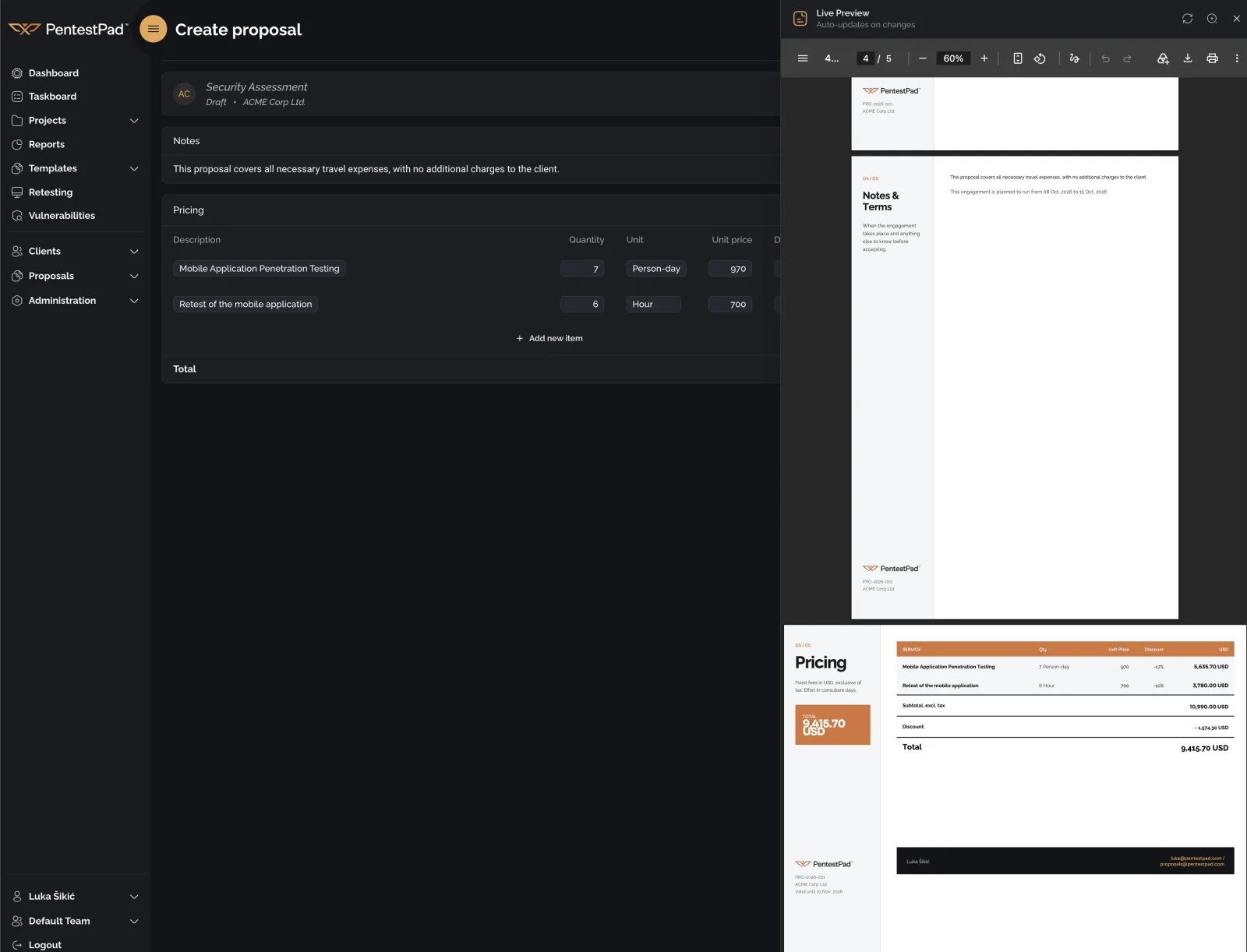
If you’ve used our report preview, this is the same idea applied to proposals, and it exists for the same reason: the export-open-check-fix-export-again loop is where document work goes to die. You shouldn’t have to generate a file to find out your cover page broke.
The document itself comes from a DOCX template, the same way reports do. Your logo, your terms, your typography. You can keep several templates - say, one per service line - and pick one per proposal. They’re managed under Proposals → Settings → Templates: upload your own DOCX or start from the default one and adjust it.
Out the door
When it’s done, download it as PDF or DOCX. Both come from the same template, so they match - the DOCX is there for the clients who insist on redlining things in Word.
Proposals have statuses, so you can see what’s in draft, what’s sent, and what’s been accepted. And because the client and scope are already in PentestPad, an accepted proposal turns into a project without re-entering anything. That was the point of building this in the first place: the proposal, the project, the findings, and the report are one record, not four documents in four tools.
Who gets it
Everyone, now - it shipped with v1.7.6. The module is off by default, so you won’t see it until an administrator enables it under Administration → General settings. If your team doesn’t do proposals, do nothing - it stays out of the way.
Once it’s on, only administrators and managers can see and manage proposals by default - your testers don’t need to look at pricing, and your clients definitely don’t. As with everything else in PentestPad, that’s governed by roles and permissions, so you can change exactly who sees and does what.
If you want to see it on your own data, book a demo and bring your current proposal template - we’ll rebuild it in PentestPad during the call. Or just start a trial and make one yourself; it takes about five minutes.